Check whether traffic has changed, then compare add-to-cart and checkout completion rates. Test the customer journey and review recent changes, while considering non-technical causes too.
A fall in sales does not always mean your store is broken. Changes in traffic, advertising, prices, stock, delivery options or customer demand can also affect results. Identify where the drop occurred: visits, add-to-cart, checkout starts or completed purchases.
Then check the relevant journey. Visit key product pages, check stock and variants, add an item to the cart and review shipping and payment options. Compare mobile and desktop, look for customer reports and review recent theme, app and payment-setting changes.
How to investigate with Acumen Logs
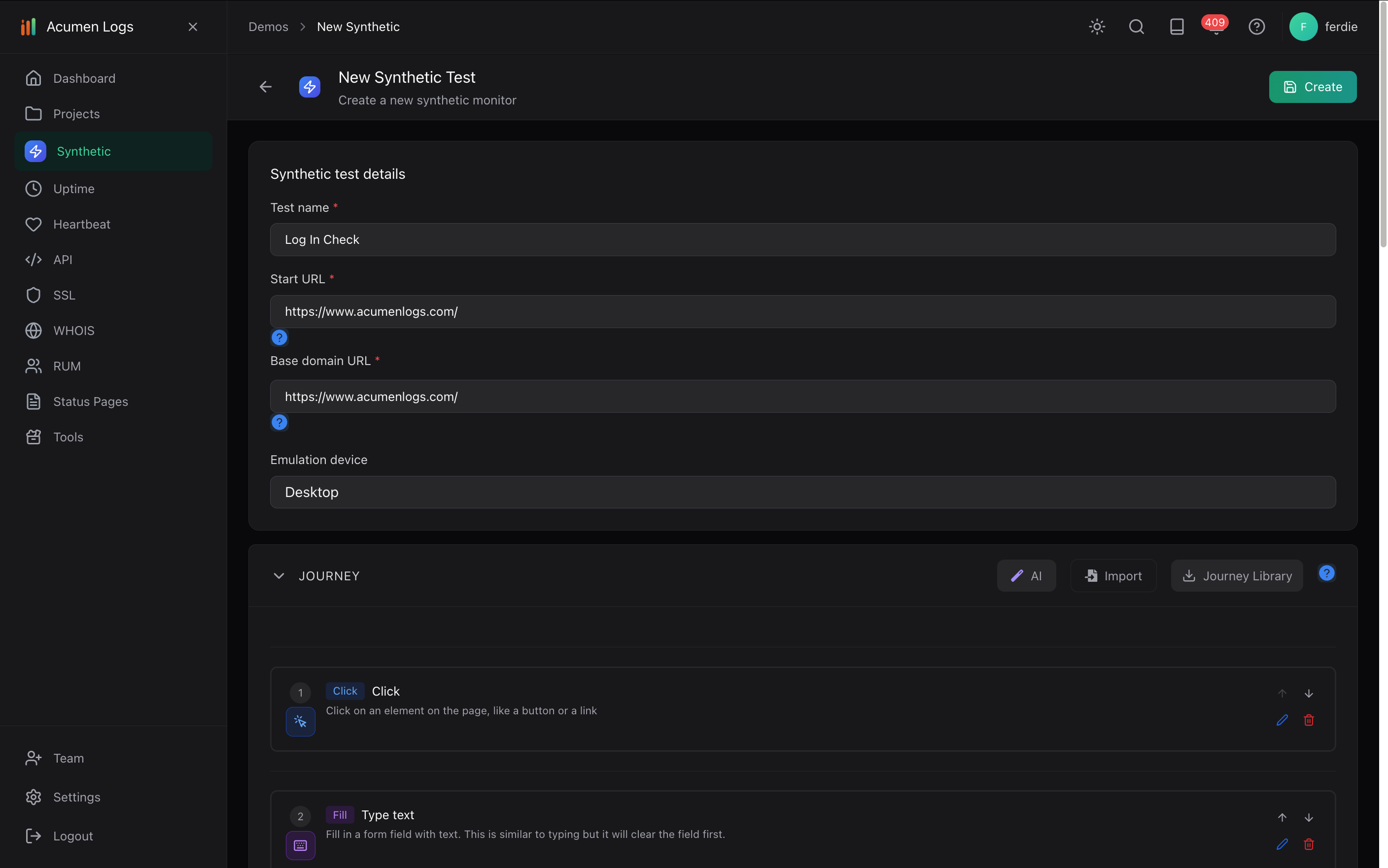
In your project, select Create New Synthetic Test. Name it, enter a representative product page as the Startup Page URL and choose an emulated device.
Record or build a journey that selects a product, adds it to the cart and checks that the checkout screen appears. Save it and use Run to validate the steps.
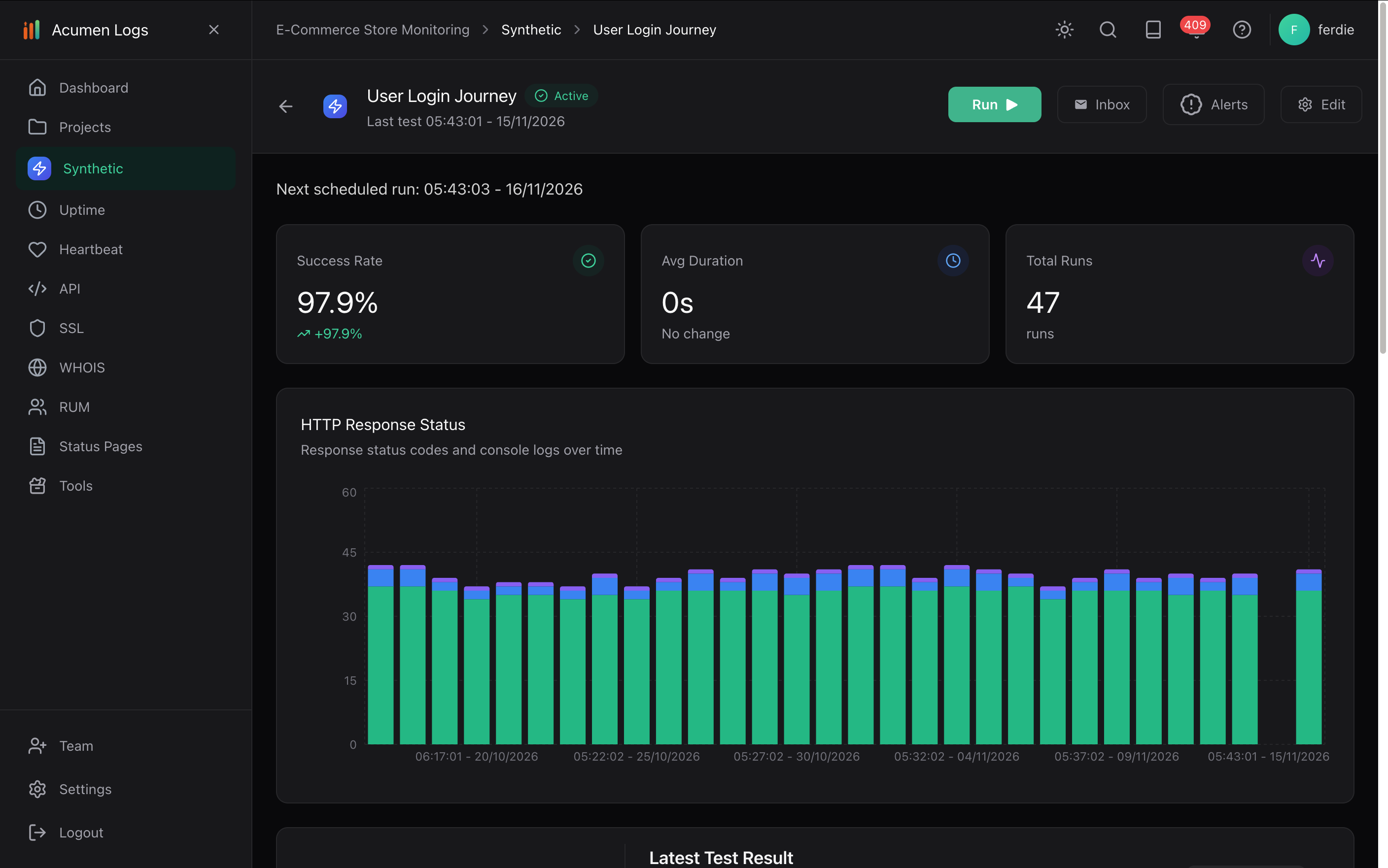
Review the run's screenshots, console errors and network requests for evidence of a failed step. Test mobile and desktop journeys where appropriate.
Create a synthetic test for a representative customer journey.
Review a saved journey and run it again when investigating an issue.
Use safe test data and avoid submitting a live order unless you have explicitly planned for it. Monitoring can reveal technical signals, but it cannot explain every commercial reason for a sales drop. Read the synthetic setup guide.
What debugging evidence is captured when a monitor fails?
Synthetic runs capture step-by-step screenshots, JavaScript console errors, and network logs on all plans, plus video replay and trace logs on Essentials and Pro.
What happens to synthetic tests when our website layout changes?
Elements are recognised by what they are for—such as a "Submit order" button—rather than just a CSS class name, so routine markup changes do not break the journey.
How do I monitor login flows and authenticated SaaS dashboards?
Build a synthetic browser journey that signs in using encrypted credentials stored in Secrets, then verifies that key dashboard components load without console errors.
How do I track TTFB and response latency across regions?
Combine multi-region uptime checks (which log response time and DNS resolve time on every run) with Real User Monitoring (RUM) to slice TTFB and LCP by country and device.