Test the actions visitors rely on: navigation, search, forms, login and, for online stores, the product, cart and checkout journey. Check mobile as well as desktop.
A small update can affect an unrelated part of a website. A theme change might alter a product page, an app may conflict with another script, or a form update might prevent an enquiry from being submitted.
After a change, check key landing pages and navigation, then test important forms and login flows. For a store, select a product, add it to the cart and check the checkout journey. Repeat important steps on mobile. Use staging and test data when possible; check for unintended orders, charges and notifications if testing a live store.
How to set this up in Acumen Logs
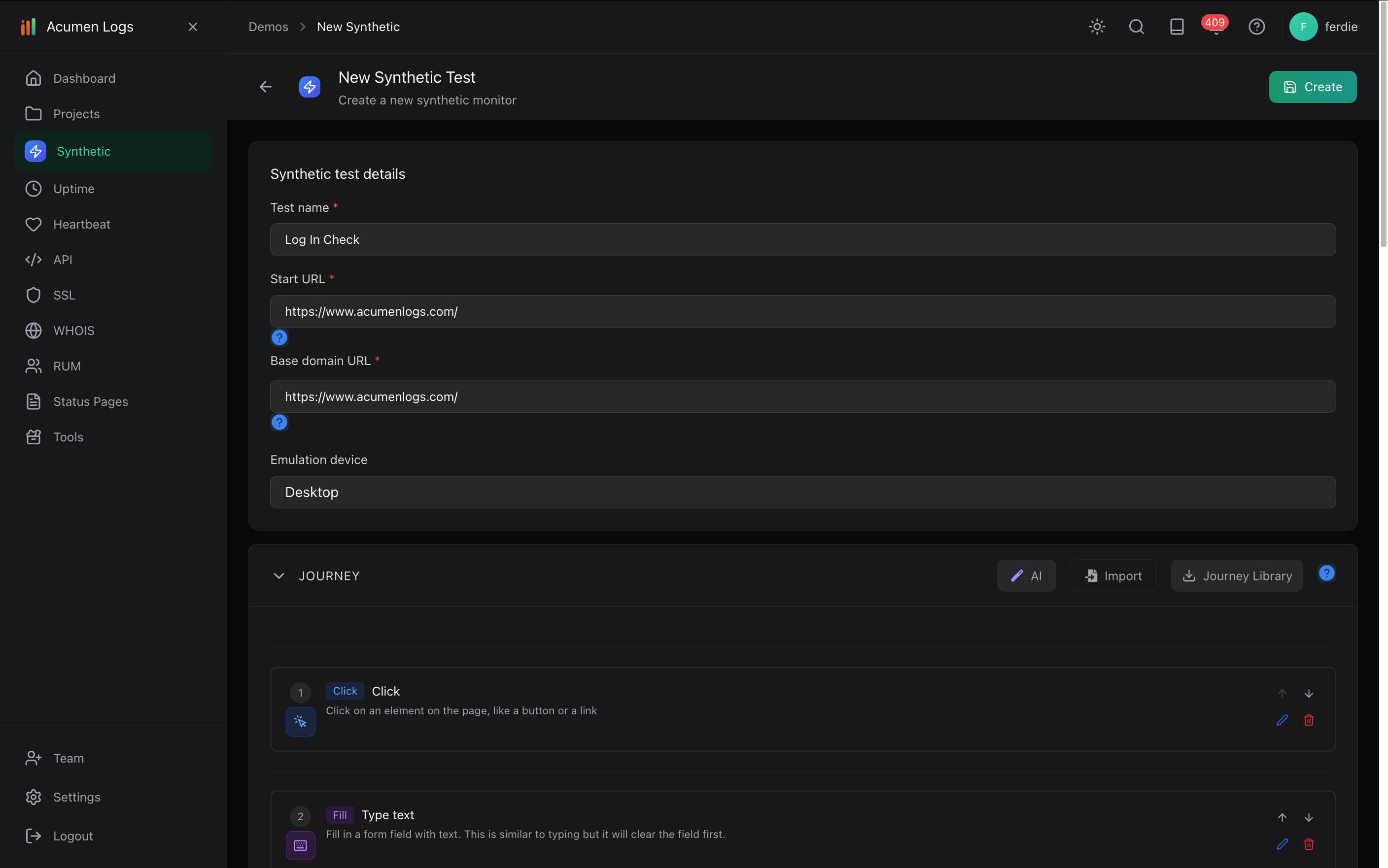
In your project, select Create New Synthetic Test, name the test and enter the relevant starting page URL.
Choose an emulated device, then record or build the key actions and checks for that journey. For example, open a product, select a variant, add it to the cart and verify the cart.
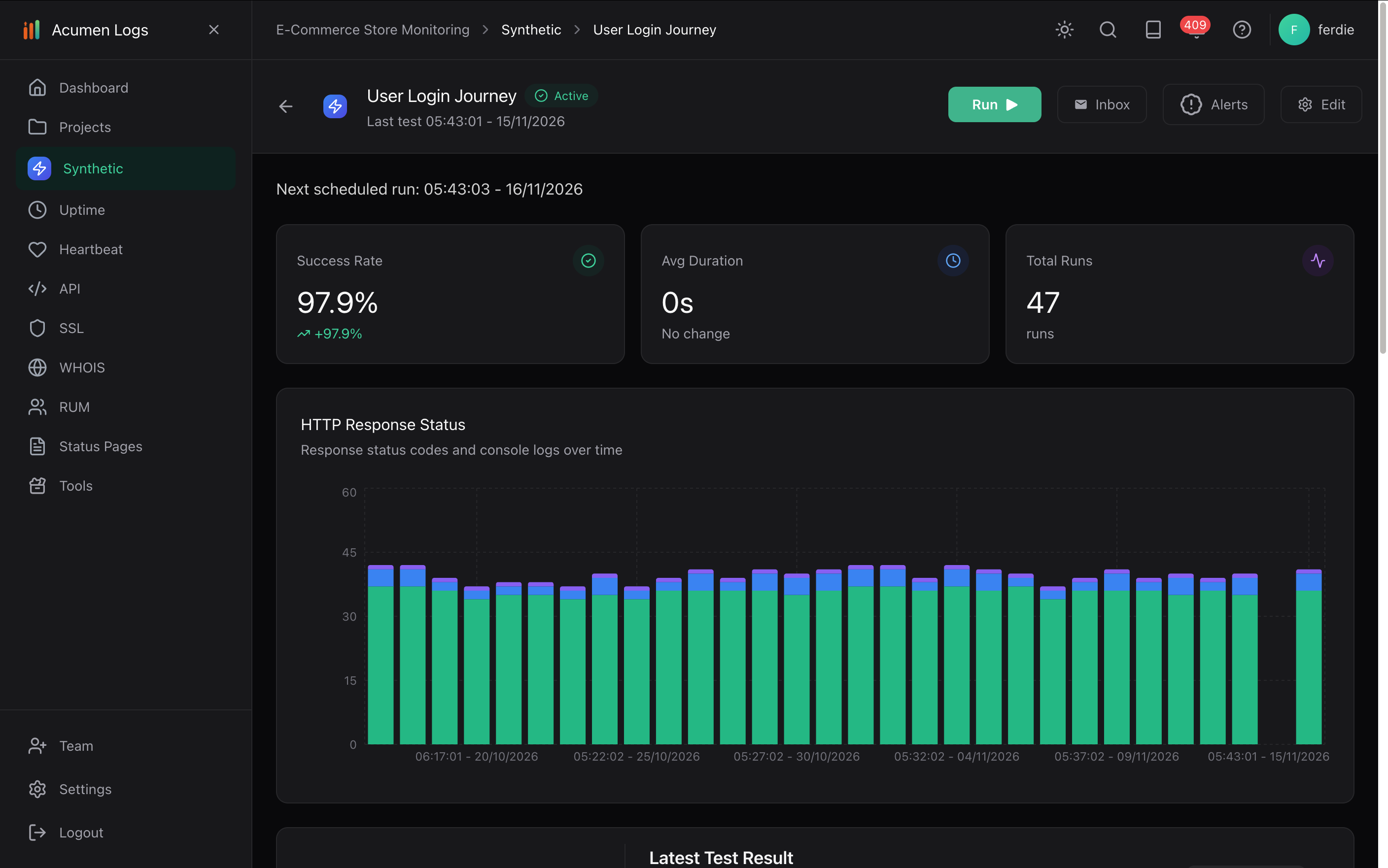
Save the journey and test. After an update, use Run on the Synthetic Test Dashboard to execute it on demand.
Review screenshots, console errors and network requests when a step fails. Update the journey if a legitimate change alters the flow.
Where your plan supports scheduling, enable a schedule and configure alerts for the journey.
Set up a synthetic test and build the journey you want to check.
Use Run on a saved synthetic journey to check it again after a change.
For checkout tests, use a staging store and payment sandbox when testing through confirmation, or stop before live submission and verify any side effects. Read about safe checkout tests.
What debugging evidence is captured when a monitor fails?
Synthetic runs capture step-by-step screenshots, JavaScript console errors, and network logs on all plans, plus video replay and trace logs on Essentials and Pro.
How do I trigger synthetic tests from GitHub Actions and CI/CD pipelines?
Use the Acumen Logs GitHub Action in your CI/CD workflow to trigger a synthetic journey against your staging or production URL and fail the build if a step breaks.
What happens to synthetic tests when our website layout changes?
Elements are recognised by what they are for—such as a "Submit order" button—rather than just a CSS class name, so routine markup changes do not break the journey.
How do I monitor login flows and authenticated SaaS dashboards?
Build a synthetic browser journey that signs in using encrypted credentials stored in Secrets, then verifies that key dashboard components load without console errors.