A website can behave differently on mobile because of responsive layouts, browser behaviour, scripts or device settings. Test the affected action on mobile, not just the homepage.
A desktop page can look fine while a mobile visitor encounters an overlapping button, an unusable menu or a form that is hard to complete. Mobile visitors may also experience different performance or browser behaviour.
Try to reproduce the exact issue and record the device, browser, page and action involved. Test important journeys such as selecting a product, using search, submitting a form or proceeding to checkout. Review recent theme, app and code changes if the issue appeared recently.
How to set this up in Acumen Logs
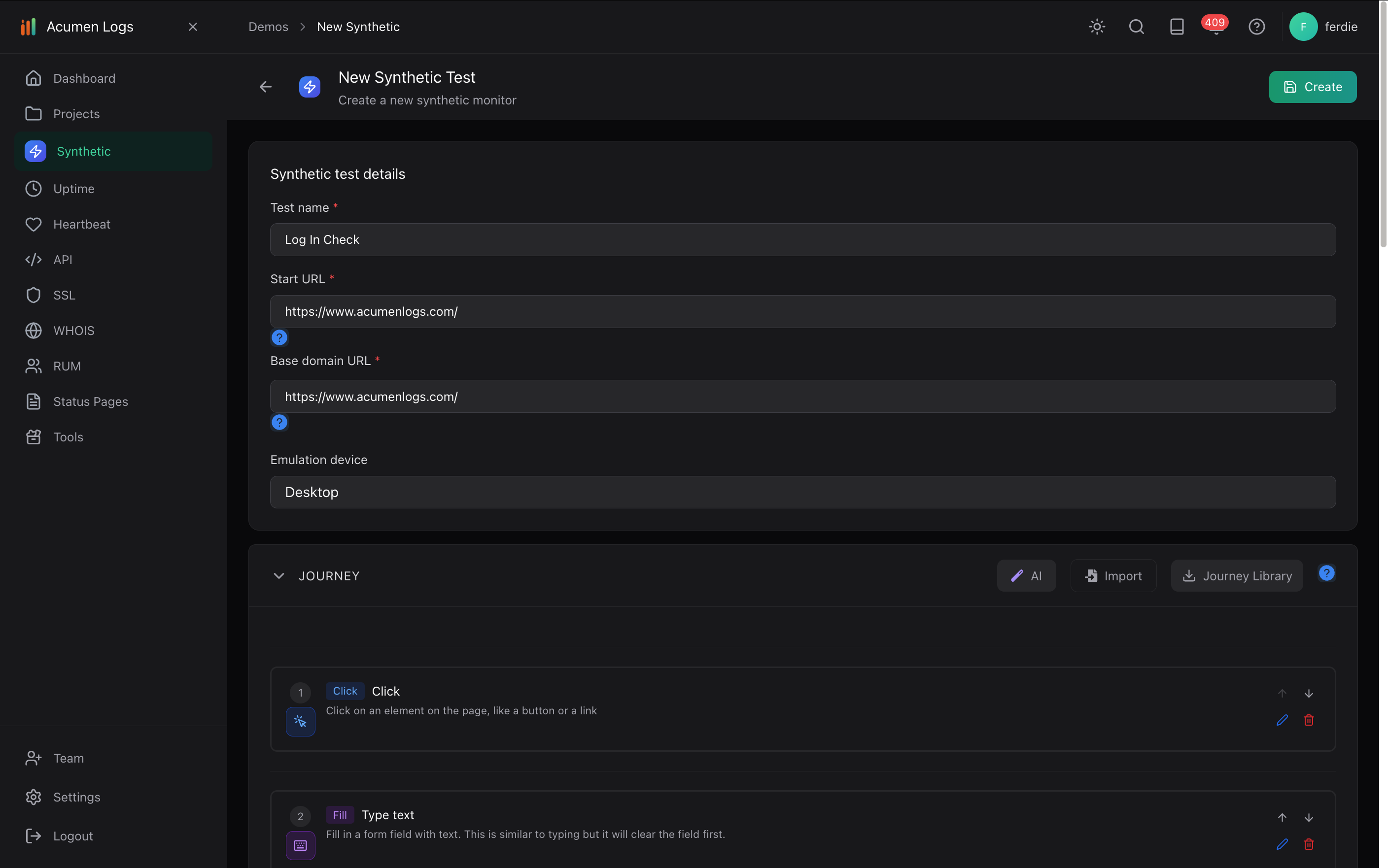
In your project, select Create New Synthetic Test, name it and enter the affected page as the Startup Page URL.
Set Emulated Device to Mobile. Record or build the actions you want to check and add an assertion for the expected result.
Save the journey and use Run. Inspect the step results, screenshots, console errors and network requests if the test fails.
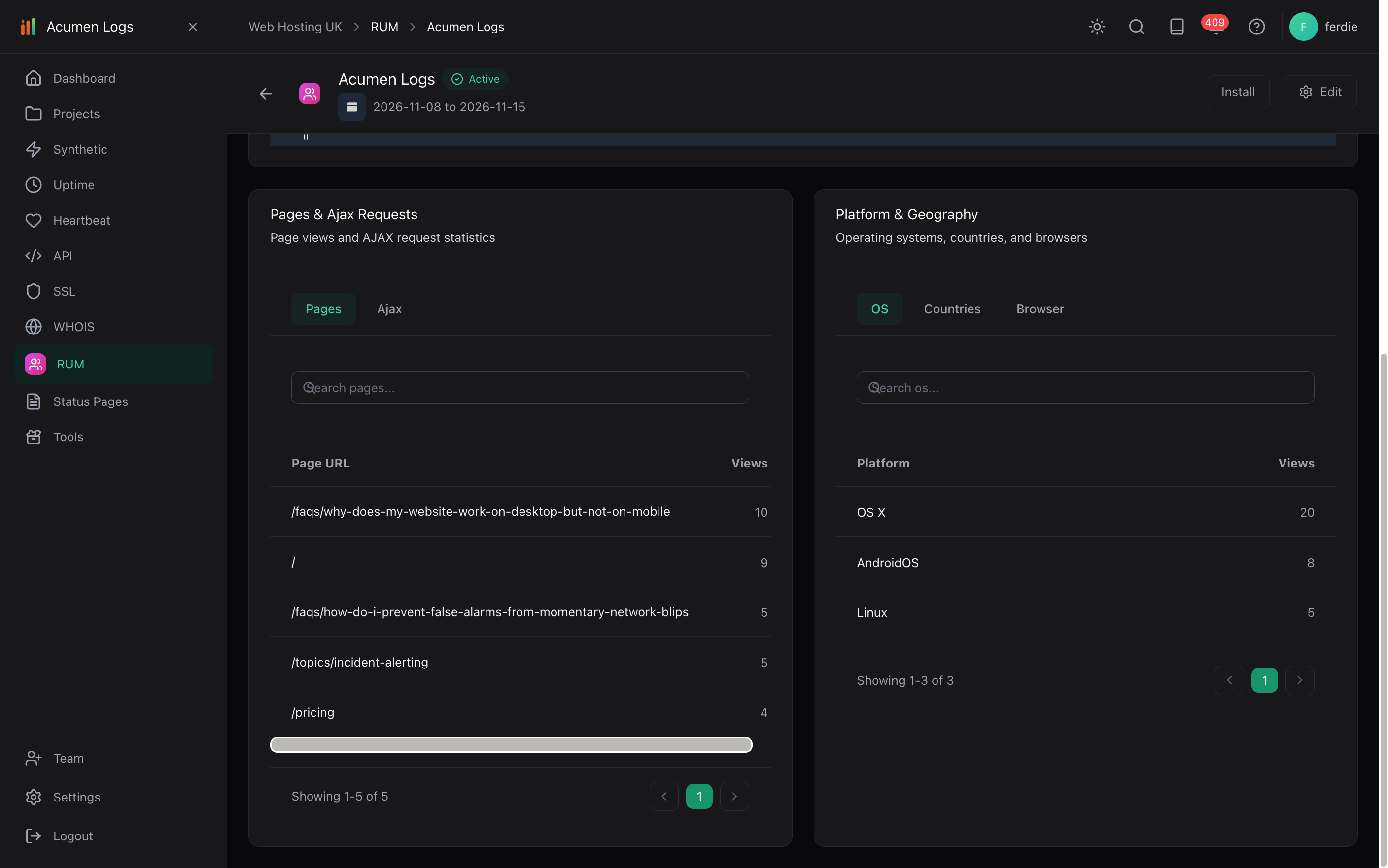
For real-visitor performance, add your site to Real User Monitoring, install its snippet in your pages and compare device and browser data after traffic arrives.
Synthetic test setup, including the emulation device field.
Real User Monitoring shows page views and visitor platforms.
The mobile setting emulates a viewport and user agent. It is useful for repeatable checks but does not replace testing on relevant physical devices and browsers. Read the synthetic setup guide.
What debugging evidence is captured when a monitor fails?
Synthetic runs capture step-by-step screenshots, JavaScript console errors, and network logs on all plans, plus video replay and trace logs on Essentials and Pro.
How do I trigger synthetic tests from GitHub Actions and CI/CD pipelines?
Use the Acumen Logs GitHub Action in your CI/CD workflow to trigger a synthetic journey against your staging or production URL and fail the build if a step breaks.
What happens to synthetic tests when our website layout changes?
Elements are recognised by what they are for—such as a "Submit order" button—rather than just a CSS class name, so routine markup changes do not break the journey.
How do I monitor login flows and authenticated SaaS dashboards?
Build a synthetic browser journey that signs in using encrypted credentials stored in Secrets, then verifies that key dashboard components load without console errors.