Try the site on another device or connection and check it from other locations. If it works elsewhere, the issue may be local to your device, network, DNS or region.
First try a different browser or device, and switch between Wi-Fi and mobile data if available. Ask someone in another location to test the same URL, and check whether your hosting provider has reported an incident.
Note exactly what happens: a page that never loads, a certificate warning, an HTTP error and a broken button are different problems. A successful homepage check also does not prove every customer journey works.
How to set this up in Acumen Logs
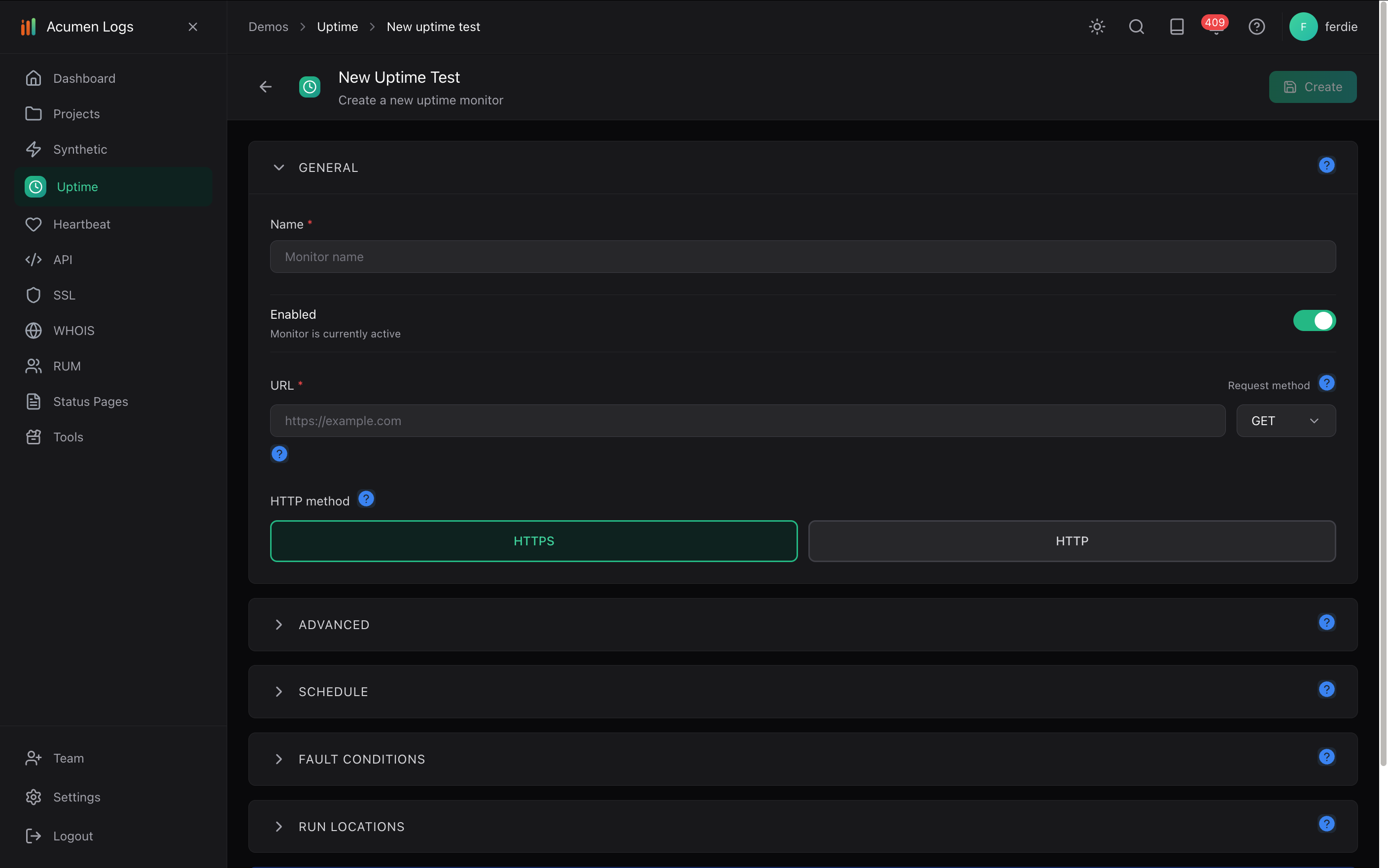
In your project, select Create New Uptime Test, name it and enter the same Target URL that visitors are trying to reach.
Enable the test, choose your check interval and select available geographic testing locations. Save the test.
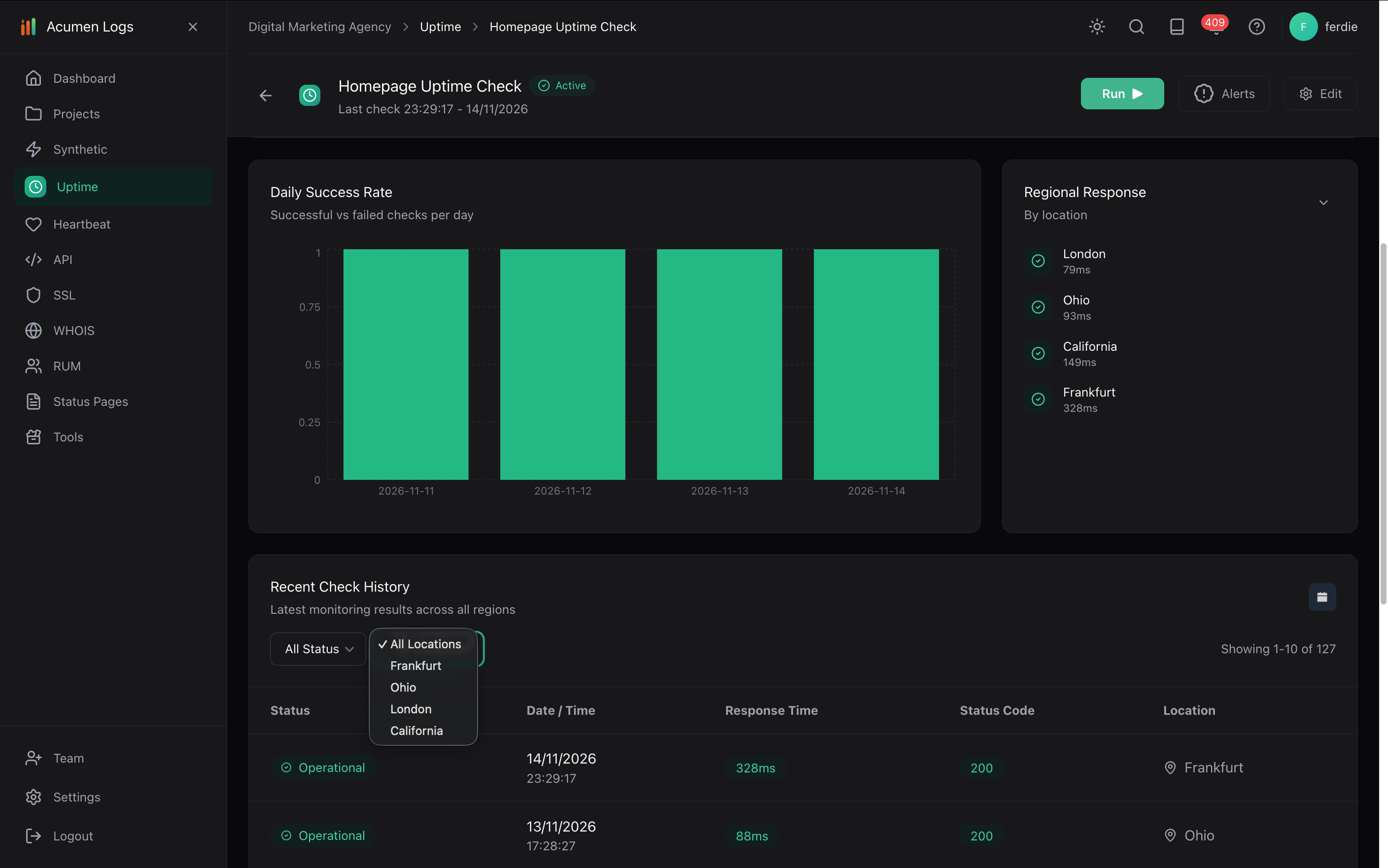
Open the uptime dashboard after checks run. Compare regions and inspect the status code, response time and DNS resolution for failed checks.
Configure an alert channel with Set Alert and use Test Alert to verify delivery.
Create an uptime test for the URL you want to check.
Compare regional responses and recent check results.
Filter recent checks by location.
If checks succeed in one region and fail in another, investigate network routing, CDN or provider issues with the relevant team. A passing check does not guarantee every visitor can access the website. Read the uptime setup guide.
How do I prevent false alarms from momentary network blips?
Configure a consecutive failure count on each alert channel (such as 2 or 3 consecutive failures) before an alert fires, and use maintenance windows during planned work.
How do I track TTFB and response latency across regions?
Combine multi-region uptime checks (which log response time and DNS resolve time on every run) with Real User Monitoring (RUM) to slice TTFB and LCP by country and device.
Why does my website work on desktop but not on mobile?
A website can behave differently on mobile because of responsive layouts, browser behaviour, scripts or device settings. Test the affected action on mobile, not just the homepage.
Why does my website keep going down and coming back up?
Intermittent downtime can result from hosting, network, DNS, traffic or application issues. Record when and where failures occur, then compare those details with provider logs and recent changes.
Why does my website say “not secure,” and how do I fix it?
A browser may warn that a connection is not secure if the site or its SSL/TLS certificate is misconfigured, expired or does not match the hostname. Check the exact warning and contact your provider if needed.