Intermittent downtime can result from hosting, network, DNS, traffic or application issues. Record when and where failures occur, then compare those details with provider logs and recent changes.
Intermittent outages can be difficult to reproduce because the site may work again by the time you check it. The problem may last only a short time, affect particular regions or occur when traffic increases.
Note when the failure occurs and what visitors see. Review your hosting provider's status page and logs, compare reports from different connections and locations, and check whether recent deployments or DNS changes coincide with the problem.
How to set this up in Acumen Logs
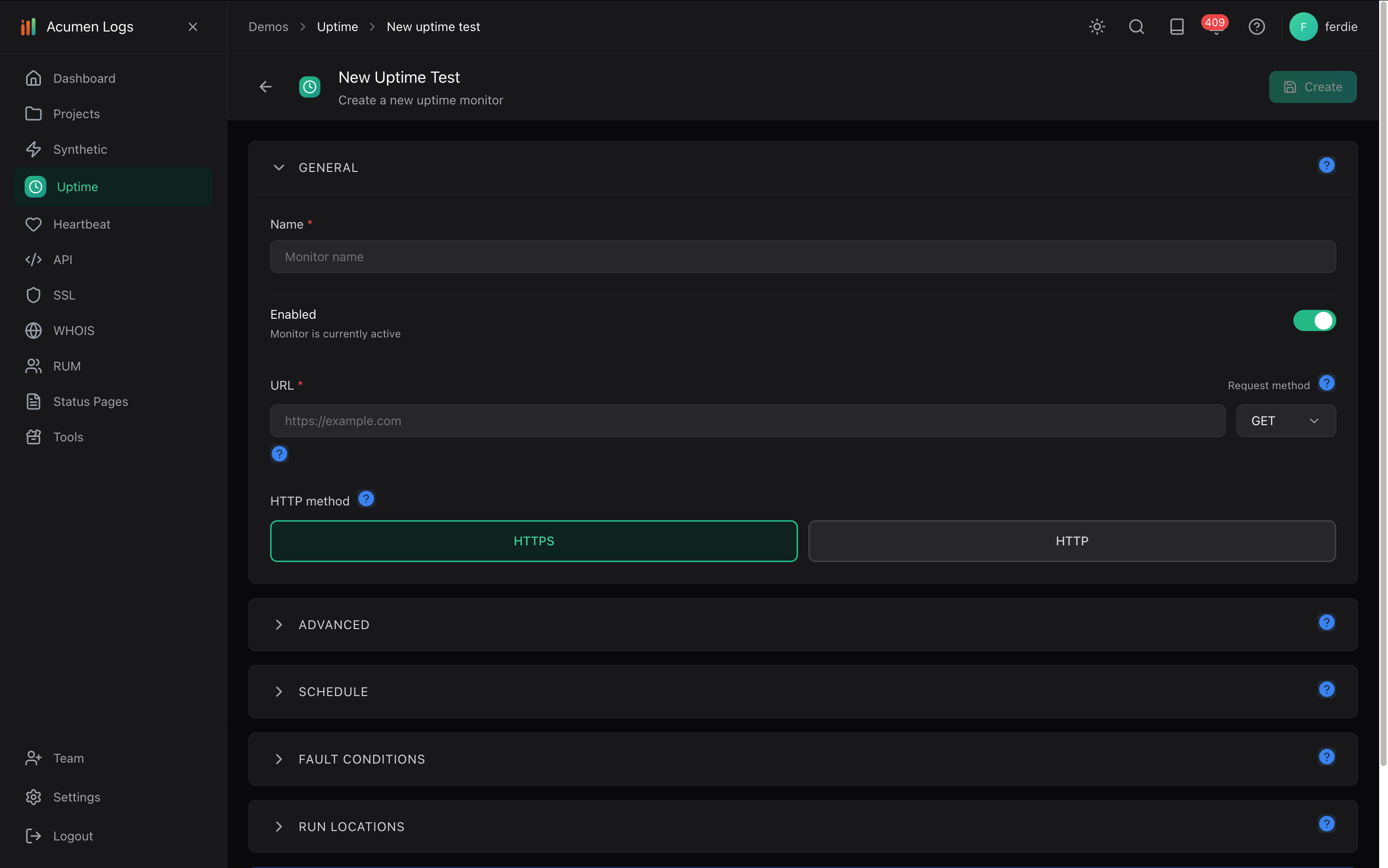
In your project, select Create New Uptime Test. Give it a descriptive name, enable the test and enter the page's Target URL.
Choose an available check interval and testing locations. Review the expected success status and any response-time or text conditions you need.
Save the test. On the Uptime Test Dashboard, select Set Alert, choose an available channel and set its minimum consecutive-failure count. Use Test Alert to check delivery.
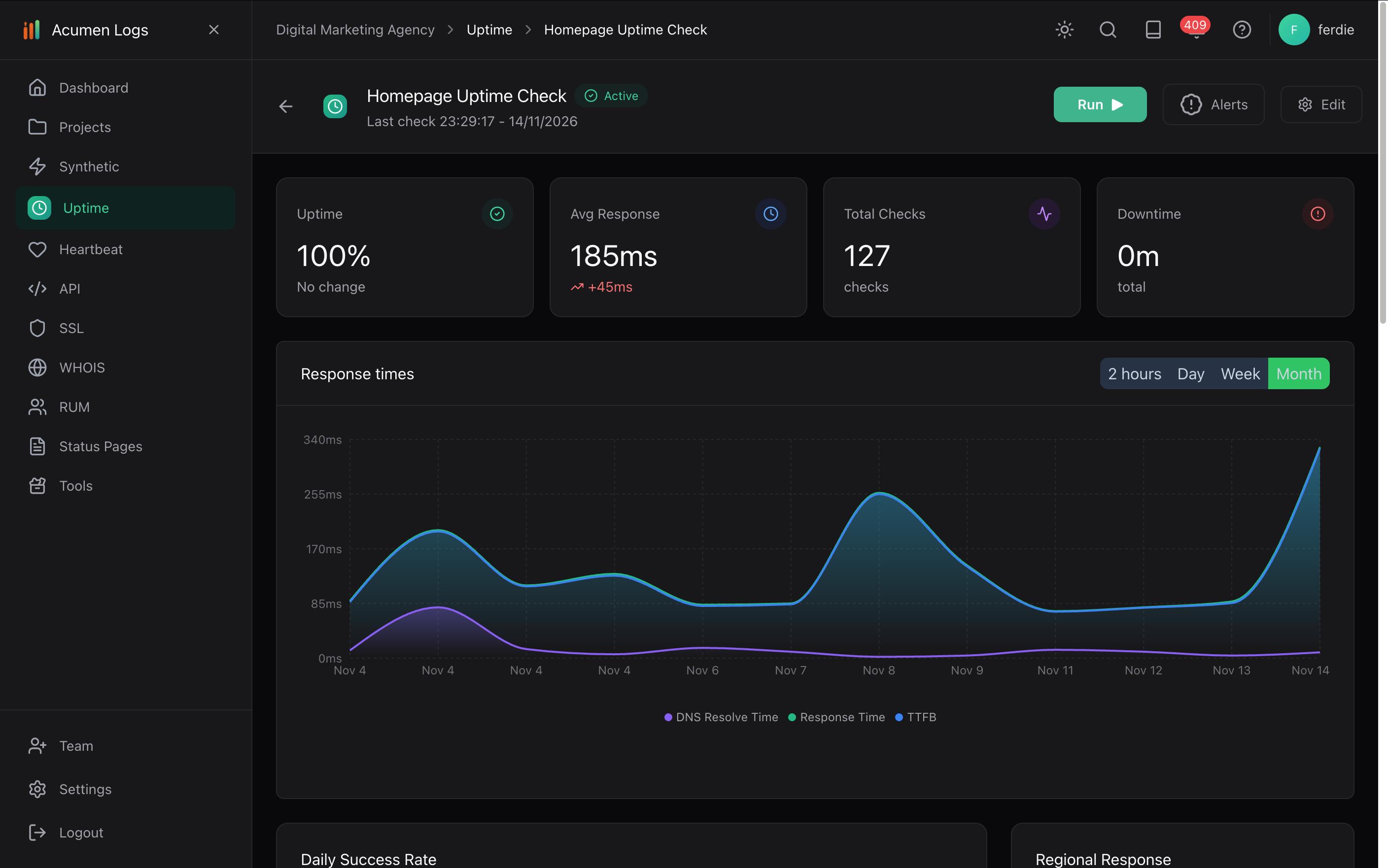
Review the response-time graph and individual check details, including status, response time and DNS resolution. Compare regions and times with your provider's logs.
Set up an uptime test for the affected page.
Review response times over the selected period. This example shows a passing uptime check.
A monitor helps collect evidence and alert you to configured failures; it does not necessarily identify the underlying cause. Read the uptime setup guide.
How do I prevent false alarms from momentary network blips?
Configure a consecutive failure count on each alert channel (such as 2 or 3 consecutive failures) before an alert fires, and use maintenance windows during planned work.
How do I track TTFB and response latency across regions?
Combine multi-region uptime checks (which log response time and DNS resolve time on every run) with Real User Monitoring (RUM) to slice TTFB and LCP by country and device.
Why does my website work on desktop but not on mobile?
A website can behave differently on mobile because of responsive layouts, browser behaviour, scripts or device settings. Test the affected action on mobile, not just the homepage.
How can I tell if my website is down for everyone or just me?
Try the site on another device or connection and check it from other locations. If it works elsewhere, the issue may be local to your device, network, DNS or region.
Why does my website say “not secure,” and how do I fix it?
A browser may warn that a connection is not secure if the site or its SSL/TLS certificate is misconfigured, expired or does not match the hostname. Check the exact warning and contact your provider if needed.